Reports
Every report comes from the same run, so the numbers in them agree.
--junit F | the format every build server already understands |
--json F | for a script of your own |
--html F | one file a browser draws and a machine parses |
stamp test .  --html reports/api.html   # plans, steps, checks
stamp load .  --html reports/load.html  # thresholds and the series behind the charts
An --html report holds the measurements and nothing about how they look. They sit in the attributes of its own elements, stamp-plan, stamp-request, stamp-check and the rest: plans with every step and check, the actors of a concurrently block with the instant each one started, and load tests with their thresholds and their second by second series. The file is valid HTML and valid XML, so a build step can parse it with either.
Opened in a browser, the same file draws itself: the verdict and the totals, a race with its actors on one clock, and throughput, latency and active users over time. It loads two files from stampdrill.com/report to do that, a stylesheet and a module of those elements, both under the same licence as the engine. Nothing is uploaded, the report is read where you opened it, and the page fetches nothing else. The version is part of the address, so a report that is already written keeps drawing the way it did when it was written.
To keep a copy of those two files beside your own reports, or to read reports on a machine with no way out to the web, point at your copy:
stamp test . --html report.html --html-assets ./report-assets/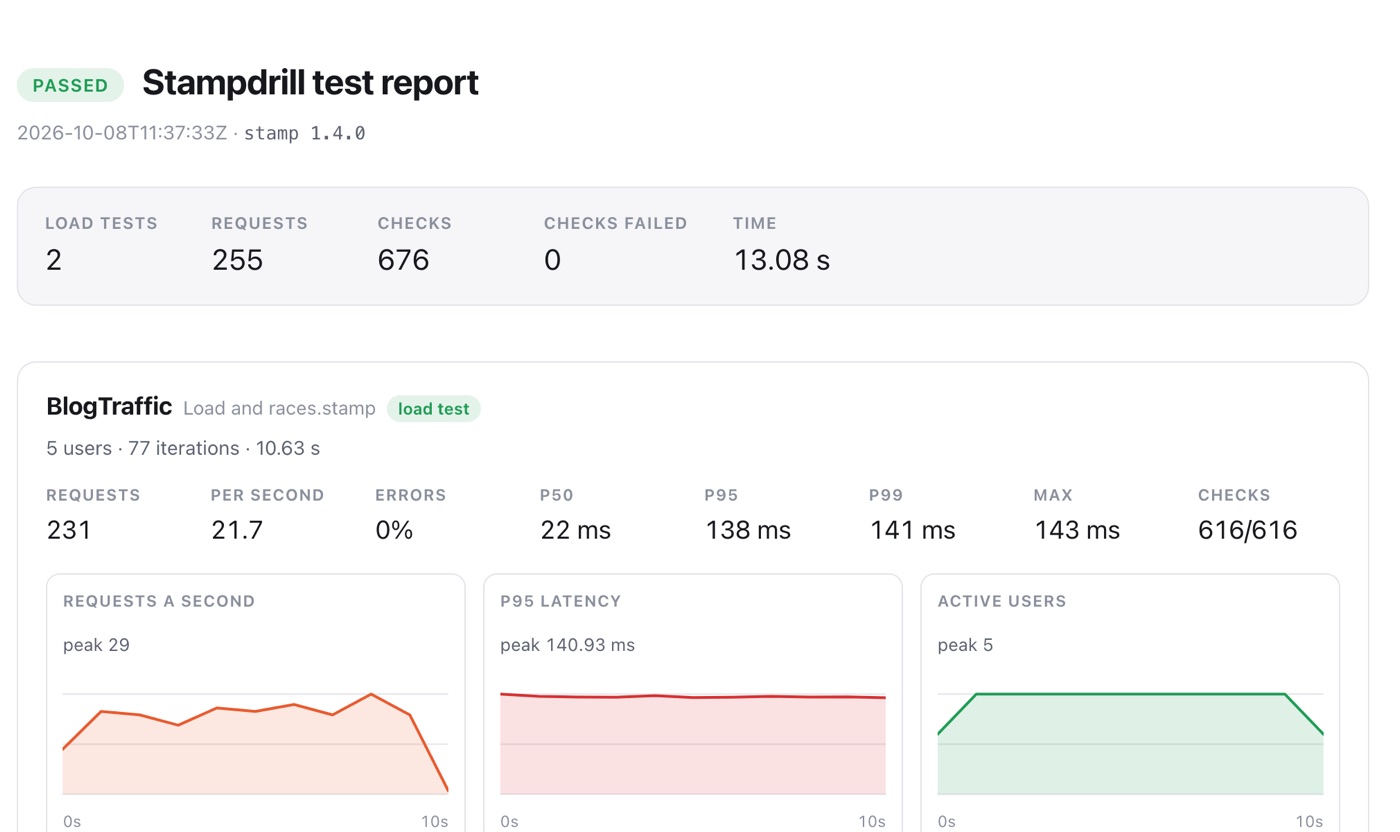
Two real ones to look at: a test run and a load test, both written by the commands above from the example workspace.
In the app: the Export menu on a finished test plan or load test writes the same files.